Laboratory Information Systems
Laboratory Information Management System: A Complete Guide for Modern Laboratories
Learn what a laboratory information management system is, how it works, its essential features and benefits, and how to choose and implement the right system.
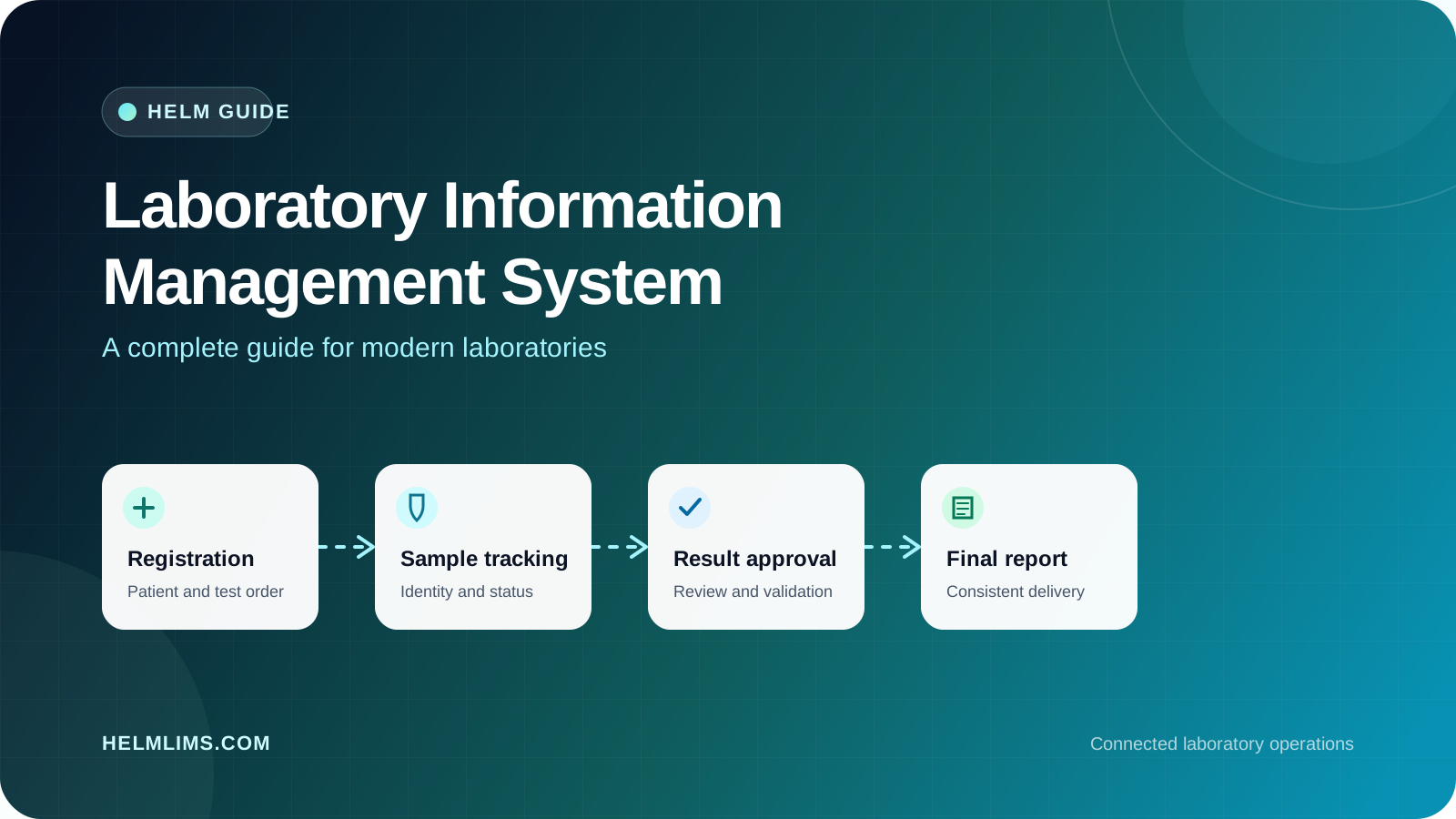
A laboratory information management system, commonly called a LIMS, is software used to organize laboratory samples, workflows, results, and operational data. It gives laboratory teams one structured place to record, track, review, and retrieve the information created during daily work.
In a diagnostic laboratory, that connected workflow can begin with patient registration and test ordering, continue through sample collection and processing, and end with result review, approval, and report delivery. In research, environmental, food-testing, pharmaceutical, and manufacturing laboratories, the same idea is usually centered on samples, studies, batches, methods, and analytical results.
What is a laboratory information management system?
A laboratory information management system is a specialized application that manages the information and processes associated with laboratory work. Instead of spreading records across paper registers, notebooks, spreadsheets, messaging apps, and disconnected software, the laboratory keeps approved activities within a controlled digital workflow.
Early LIMS products focused mainly on sample tracking. Modern systems can also support patient or client records, test catalogues, worksheets, result entry, validation, reporting, quality controls, inventory, audit trails, staff permissions, instrument connections, and management analytics.
The exact meaning of LIMS therefore depends on the laboratory. A small diagnostic centre may need patient registration, billing, result entry, and report delivery. A pharmaceutical quality-control laboratory may need batch tracking, specifications, stability studies, and chain of custody. The right system is the one that supports the laboratory's actual work without forcing staff through unnecessary complexity.
Why laboratories need information management systems
Paper registers and spreadsheets can appear sufficient when a laboratory has a small team and a low sample volume. As the organization grows, however, manual processes become harder to supervise. Information is copied between documents, status updates depend on verbal communication, and managers struggle to see what is pending.
These gaps can create operational problems long before the laboratory considers itself large. A missing request form, an unreadable entry, or an inconsistent report format can delay a patient result and consume valuable staff time.
- Patient or client information is entered more than once.
- Samples become difficult to locate or identify.
- Staff cannot quickly see which tests are pending, completed, or awaiting approval.
- Results must be copied manually into report templates.
- Different staff members use different names, units, ranges, or formats.
- Managers cannot easily measure workload, turnaround time, revenue, or outstanding work.
- Important edits occur without a reliable history of who changed what.
- Historical records take too long to retrieve.
A LIMS creates a central operational record. Authorized staff can see the current status of a patient, sample, test, batch, or report without searching through several books and files. That shared visibility supports faster decisions and clearer accountability.
How a LIMS works in a diagnostic laboratory
Every laboratory has its own approved procedures, but a typical diagnostic workflow follows a recognizable sequence.
1. Patient registration
The laboratory records the patient's identifying and contact information. Returning patients can be found and verified instead of being recreated as duplicate records, while each new visit remains distinct.
2. Visit and test ordering
Requested investigations are added to the visit. The system can organize tests by department, apply the configured price, record payment information, and assign a unique laboratory or accession number.
3. Sample collection and identification
The required specimen is connected to the order. Labels or barcodes can help staff identify the patient, specimen type, collection time, and requested tests while reducing dependence on handwritten identifiers.
4. Sample processing
Work is routed to the appropriate section, such as haematology, chemical pathology, microbiology, immunology, serology, parasitology, or histopathology. Staff can see which items are pending, in progress, completed, or held for review.
5. Result entry
Results are entered by authorized staff or received from a connected analyser. Depending on the discipline, the system may handle numeric values, qualitative findings, reference ranges, flags, calculations, microbiology observations, susceptibility results, and interpretive comments.
6. Review and approval
A qualified professional reviews the result before release. A well-designed system keeps result entry, review, correction, and approval as visible actions so unfinished work is not mistaken for a final report.
7. Report generation and delivery
Approved results are placed into a consistent report containing the relevant patient, test, laboratory, and reviewer information. The report may be printed, downloaded, or delivered through an approved digital channel.
8. Storage and retrieval
The laboratory can retrieve previous visits, samples, results, and reports without searching through physical archives. Retention, access, backup, and correction policies still need to be defined by the laboratory.
Core features of a modern LIMS
Feature lists can become overwhelming. The most important capabilities are the ones that support traceability, controlled work, accurate reporting, and practical management.
Patient, client, and submitter management
Diagnostic laboratories need organized patient and referring-client records. Other laboratory types may organize customers, studies, projects, sites, or sample submitters. In every case, the system should reduce duplicate records while preserving the history of each transaction.
Sample tracking and traceability
The system should show when a sample was received, which work was requested, where it is in the process, who handled key steps, and when the final output was released. Barcode support can strengthen identification, but a barcode alone does not create traceability; staff must use the approved workflow consistently.
Test catalogue and workflow configuration
- Individual tests and panels
- Departments and work sections
- Specimen types and collection requirements
- Units, parameters, and reference information
- Prices and billing rules
- Result formats and approval steps
- Report templates and laboratory branding
Configuration matters because laboratory services change. A rigid catalogue becomes a bottleneck when the laboratory adds a test, updates a price, changes a method, or introduces a new reporting format.
Flexible result management
Laboratories do not report every investigation in the same way. A useful LIMS should support quantitative values, positive or negative findings, reactive or non-reactive results, text observations, calculated parameters, cultures, antibiotic susceptibility findings, and professional comments where appropriate.
Reference information and abnormal flags
For suitable quantitative tests, the system may compare a result with configured reference information and mark it as high, low, or otherwise abnormal. These indicators support review; they do not replace the judgement of qualified laboratory personnel or the laboratory's responsibility to validate its ranges.
Result validation and approval
A controlled approval workflow helps prevent incomplete or unreviewed results from being released. The system should make the current status clear and restrict approval to authorized roles.
User roles and permissions
Not every employee should have unrestricted access. The laboratory should be able to control who can register patients, record payments, enter or amend results, approve reports, manage staff, edit configuration, or view financial information.
Audit trails
An audit trail records significant activity within the system, such as who performed an action, what changed, and when it occurred. This history supports accountability, investigations, and controlled correction processes.
Search and record retrieval
Digital records should be easy to find using appropriate identifiers such as a patient name, laboratory number, date, test, client, or report status. Digitization provides little value if staff still struggle to locate information.
Analytics and management reporting
- Patient, client, and sample volumes
- Frequently requested tests
- Pending and completed work
- Turnaround time
- Revenue and outstanding payments
- Report completion and release activity
- Staff and department workload
- Performance across branches
This is where a LIMS moves beyond record keeping. Reliable operational data helps managers identify delays, plan resources, review service demand, and make better business decisions.
Integrations
More advanced systems can exchange information with laboratory analysers, hospital information systems, electronic health records, accounting tools, payment services, messaging providers, and public-health platforms. Integration can reduce repeated entry, but each connection should be planned, tested, monitored, and supported.
LIMS vs LIS: what is the difference?
The terms LIMS and LIS are often used interchangeably, although they have traditionally described different priorities.
Laboratory information management system (LIMS)
A LIMS has historically focused on samples, batches, studies, experiments, and analytical workflows. The term is common in pharmaceutical, biotechnology, environmental, food-testing, manufacturing, and research laboratories.
Laboratory information system (LIS)
An LIS has traditionally focused on patient-centred clinical testing. It is common in hospital, medical diagnostic, pathology, and public-health laboratories where patient identity, test requests, specimens, clinical results, and reports are central.
The distinction is no longer absolute. Many products combine both sets of capabilities, and many buyers use LIMS as a broad term for laboratory software. For a diagnostic laboratory, the practical question is whether the product correctly supports patient registration, test ordering, sample handling, result validation, and clinical reporting.
Benefits of using a laboratory information management system
Better traceability
Staff can follow a sample, patient visit, or test through the approved process instead of depending on memory, verbal updates, or handwritten notes.
Fewer avoidable transcription errors
Every time information is copied from one document to another, an error can be introduced. A connected workflow reduces unnecessary re-entry and keeps approved identifiers visible throughout the process.
Faster turnaround time
Teams can identify pending work more quickly and spend less time searching for records or rebuilding reports. Software cannot remove every delay, but it can reveal bottlenecks that paper processes hide.
More consistent reports
Central configuration helps the laboratory use approved test names, units, reference information, report layouts, and review steps consistently.
Stronger accountability
Individual accounts, permissions, statuses, and audit trails make responsibility visible. This is more dependable than a shared spreadsheet that can be edited without a complete history.
Better management visibility and scalability
Owners can review current activity and trends without waiting for every summary to be prepared manually. As volume, staff, services, and branches increase, repeatable processes become less dependent on one person's memory or a collection of separate files.
What a LIMS cannot fix by itself
Purchasing software does not automatically create an efficient or compliant laboratory. A system can strengthen a well-defined process and expose a weak one, but it cannot replace professional competence, management responsibility, or quality practice.
- Poorly defined responsibilities
- Incorrect or unvalidated test procedures
- Inadequate staff training
- Weak quality-control practices
- Poor sample collection and handling
- Unreliable equipment
- Missing internet, power, backup, or continuity planning
- Inaccurate information entered by users
- Lack of management commitment
Cloud-based vs on-premise LIMS
Cloud-based LIMS
A cloud-based system is hosted online and accessed through a browser or application. It can reduce the need for local server infrastructure, centralize updates, and make authorized multi-location access easier. The laboratory must still assess internet reliability, access controls, backups, data ownership, service availability, and the provider's security practices.
On-premise LIMS
An on-premise system runs on infrastructure managed by the laboratory or its organization. This can suit institutions with specific hosting or integration requirements, but it also creates responsibility for servers, updates, backups, cybersecurity, technical support, and maintenance.
Neither model is automatically better. The right choice depends on the laboratory's workflow, budget, technical capacity, connectivity, risk tolerance, organizational policy, and applicable requirements.
Signs your laboratory may need a LIMS
- Staff spend too much time searching for records.
- Reports are regularly delayed because work status is unclear.
- Patient or sample information is entered repeatedly.
- Samples are difficult to trace between collection and testing.
- Different staff members use inconsistent report formats.
- Payment, order, and testing records do not agree.
- Management cannot quickly measure daily or monthly performance.
- The laboratory has added more staff, departments, or branches.
- Results are shared through uncontrolled or inconsistent channels.
- Paper and spreadsheet processes are becoming difficult to supervise.
Do not wait for a serious incident before improving information management. At the same time, avoid buying an oversized system filled with features the team cannot use. Unnecessary complexity can slow implementation and reduce staff adoption.
How to choose the right LIMS
Start with your real workflow
Document how work currently moves from request to final output, including payment, sample collection, handovers, exceptions, review, and report delivery. Identify delays, repeated tasks, risk points, and activities that depend on one person.
Separate essential, important, and future requirements
Essential requirements are needed for safe and practical daily operation. Important requirements provide meaningful value but may not be necessary for the first release. Future requirements may become relevant as the laboratory grows. This prioritization keeps a long feature list from distracting the team from its real problems.
Evaluate ease of use and configuration
Ask the provider to demonstrate your actual workflow. Confirm that the laboratory can configure departments, tests, panels, prices, units, reference information, permissions, approval workflows, and report formats. Include the employees who will use the system every day.
Examine security and access controls
- How are users authenticated and access permissions assigned?
- Which activities are recorded in audit logs?
- How are backups created, protected, tested, and restored?
- How is data protected during transmission and storage?
- How are former staff accounts suspended?
- Can the laboratory export its data in a usable format?
- How does the provider respond to incidents and service interruptions?
Be cautious with claims such as completely secure or guaranteed compliance. Ask for concrete controls, responsibilities, and supporting documentation.
Understand the total cost
LIMS pricing may include setup, subscription or licence fees, configuration, training, data migration, extra users, branches, storage, analyser connections, custom work, support, and maintenance. Compare the total cost of implementation and operation, not only the first monthly price.
Assess onboarding and support
The provider should explain how the laboratory will be configured, how data will be prepared, how staff will be trained, how workflows will be tested, and how early problems will be handled. Clarify support hours, response expectations, escalation routes, and ownership of each implementation task.
How to implement a LIMS successfully
1. Define measurable outcomes
Go beyond a general goal such as going digital. State the outcomes the laboratory expects, such as reducing report delays, improving sample traceability, standardizing result approval, or gaining daily business visibility.
2. Map the current process
Document what staff actually do, including exceptions and informal workarounds. A system configured around an imaginary process will fail when real work begins.
3. Clean existing information
Review test names, panels, prices, specimen types, units, reference information, users, and report templates before migration. Digitizing inaccurate or duplicated information only makes the problem move faster.
4. Configure roles and workflows
Set up departments, catalogues, permissions, reports, and approval rules according to approved responsibilities. Avoid giving broad administrative access simply because it is faster during setup.
5. Test realistic scenarios
- New and returning patients
- Part payments, cancelled requests, and refunds
- Normal, abnormal, corrected, and rejected results
- Text-heavy and microbiology reports
- Report reprinting and approved amendments
- Restricted staff permissions
- Network or device interruptions
6. Train staff by role
Receptionists, scientists, reviewers, managers, and administrators do not need identical training. Show each person how the system supports their responsibilities and what they should do when something goes wrong.
7. Run a controlled pilot
Begin with a manageable section, service, or user group. Record issues, correct configuration, and confirm the complete path to reporting before expanding the rollout.
8. Monitor adoption and improve
Check whether staff are following the approved digital process or quietly returning to notebooks and spreadsheets. Review feedback, turnaround time, data quality, and unresolved workflow gaps at regular intervals.
Frequently asked questions
Is a LIMS only for large laboratories?
No. Small laboratories can benefit when manual records are causing delays, poor visibility, repeated work, or errors. The system should match the laboratory's current workflow, budget, staff capacity, and growth plans.
Can a LIMS completely eliminate paper?
It can significantly reduce dependence on paper, but complete elimination depends on the laboratory's procedures, integrations, external requirements, and continuity plans.
Can a LIMS connect to laboratory analysers?
Some systems support analyser connections. Availability, direction of data exchange, validation work, and cost depend on the analyser, communication protocol, middleware, and software provider.
Does a LIMS guarantee accurate results?
No. Accuracy still depends on suitable samples, validated methods, equipment performance, quality control, and competent personnel. Software can reduce certain administrative and transcription errors, but it does not replace professional laboratory practice.
Is Excel a LIMS?
No. A spreadsheet can store laboratory data, but it does not automatically provide end-to-end sample traceability, controlled approval workflows, role-based access, report generation, integrations, and comprehensive audit history.
How much does a LIMS cost?
Pricing varies with deployment, users, locations, features, configuration, data migration, support, and integrations. A fair comparison includes both the software cost and the staff time or manual work each option creates.
Moving from scattered records to a connected workflow
The value of a laboratory information management system is not that it makes a laboratory look modern. Its value is that it connects information that would otherwise remain spread across registers, result sheets, notebooks, spreadsheets, and individual employees.
When implemented well, a LIMS helps the laboratory know what work has arrived, what is pending, who handled each step, which results are approved, which reports have been released, and how the operation is performing. That visibility supports more organized service for patients and clients while giving managers better control.
How Helm supports diagnostic laboratories
Helm is a laboratory workflow and information platform built for diagnostic laboratories. It connects essential daily activities such as patient registration, visits and test orders, payment recording, result entry, microbiology workflows, result review, digital reports, and operational visibility.
The aim is practical: help laboratory teams replace fragmented processes with a workflow that is easier to manage, trace, and improve.